PBR App Guide: Downloads, Login, Free Content and RidePass
Install the official PBR app, understand login and TV activation, and choose available live events, RidePass or replays without confusing free downloads with broadcast rights.
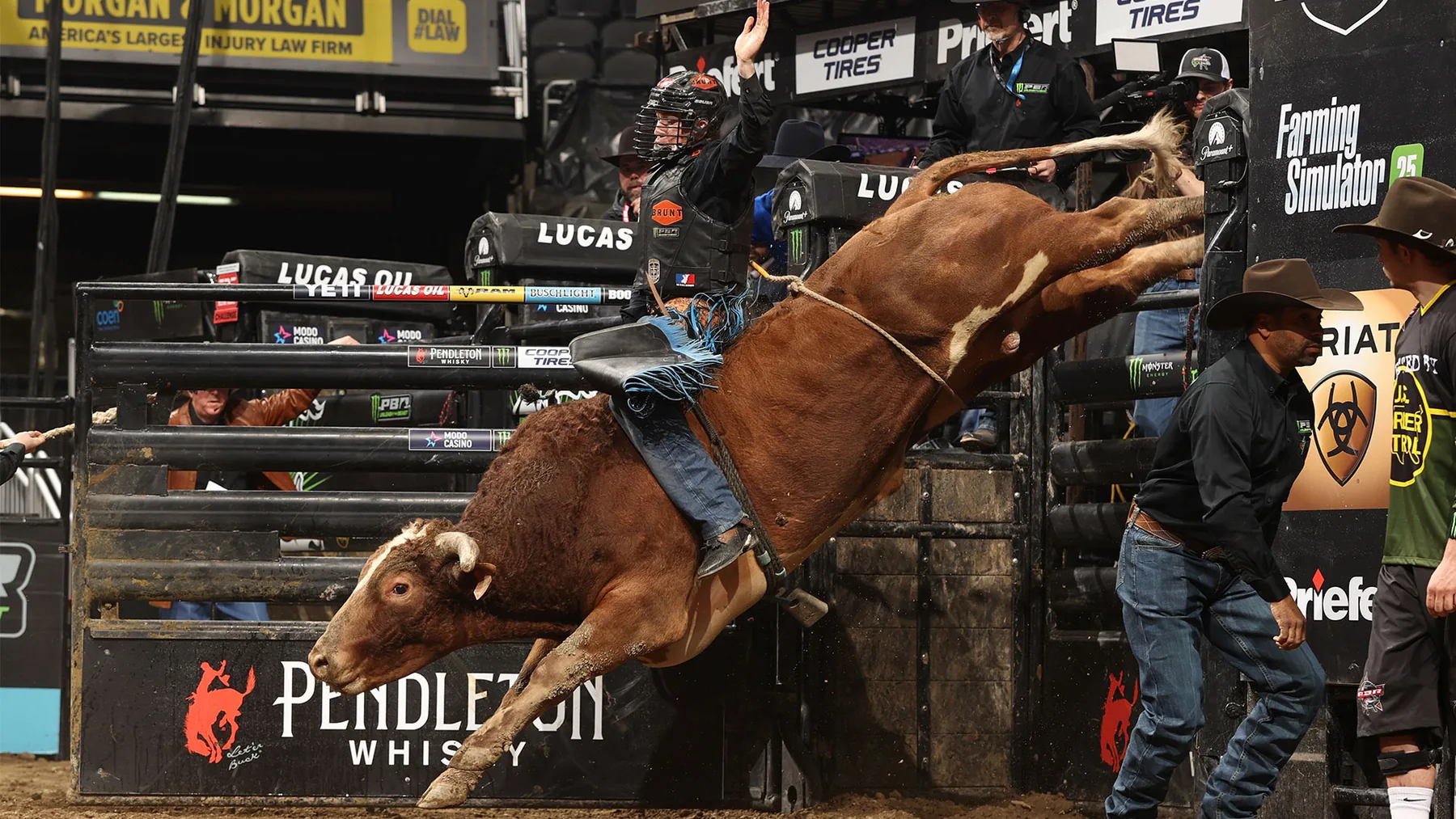
The official PBR app is free to download and offers available PBR video, results and scoring, but a free download does not mean every current live event is carried there. Use the official Apple or Google store listing, follow the current account instructions and check the broadcaster for your exact event. RidePass is a programmed channel available inside the PBR app and on other platforms; it is not a separate promise of every premier-tour live feed.
This guide, checked October 1, 2026, helps you install the genuine app, prepare a phone or television, resolve sign-in confusion and choose between a live event, RidePass and a replay. It focuses on the practical device decisions that get you ready before the first bull leaves the chute. United States broadcast arrangements are the reference point; viewers elsewhere should use PBR's regional viewing guidance.
What the PBR app does, and what free means
The official PBR app is a way to follow Professional Bull Riders on a phone, compatible television or the web. It combines video with information useful to a fan, including event results and live scoring. Apple lists the download as free. That answers the installation question, but you still need to identify the event you want before deciding where to watch it.
Think of the app as a place to find available PBR content rather than as a promise that every arena feed will appear on your screen. A rider's name alone is not enough to locate a broadcast: the same athlete can compete in an individual event, a team game or another tour's stop. Match the series, city and date. If you are looking for a specific Saturday night, a classic championship replay with the same riders is a different viewing choice.
Why a free app does not promise every live event
As of October 1, 2026, some app-store descriptions still use broad language about free live Unleash The Beast and Teams coverage. More specific official information matters: PBR's 2026 media agreement made Paramount+ the primary streaming home for the full Unleash The Beast season. The current PBR viewing guide describes the app as providing selected live events alongside its archive and RidePass channel.
This distinction prevents a common mistake: repeatedly resetting a password because a particular live event is absent. A successful sign-in cannot add rights that a service does not have. Conversely, a free secondary-tour broadcast can be available even when the premier tour is on a subscription service. Start with the PBR TV and streaming schedule, then open the service named for your session.
For a new fan, the archive is valuable in its own right. Watching an entire earlier round lets you see the unsuccessful attempts, leaderboard changes and pauses that short highlight packages leave out. For a returning fan, it offers another way to examine how a winning performance developed. Treat live competition, a complete replay and a highlights clip as three distinct products, even when their thumbnails look similar. Regional availability can also differ; a United States listing should not be assumed to describe access abroad.

Download the official PBR app on your device
Use the links from PBR or the verified store listings below. Searching only for “PBR” can produce unrelated products because the initials also occur in other sports and businesses. Check the publisher as well as the name. Install on the device you plan to use for the event, open it and test an available video before you depend on it for a live start.
iPhone and iPad
The official Apple App Store listing identifies Professional Bull Riders as its publisher. On the October 1, 2026 check, the iPhone and iPad requirements were iOS 16.6 and iPadOS 16.6 or later. Compare the requirement with your device's installed operating system before assuming a download problem is related to your PBR account.
Open that listing on your phone or tablet, complete the store's installation process and launch the app. If the store offers an update instead of a new download, apply it before troubleshooting an older installation. Allow yourself time to finish any operating-system update too: doing that at the moment the opening rider is called turns a routine setup task into a missed section of competition.
A tablet is useful when you want a larger view of the video but still need your phone for a schedule or results. Decide which screen will carry the broadcast and which will show information. Two competing audio feeds make commentary harder to follow, especially when you are trying to hear the announced score. A simple arrangement with one video feed and one silent information screen is usually easier to manage.
Android phones and television devices
For Android, use PBR on Google Play, published by Professional Bull Riders, LLC. A search for an APK is unnecessary when the official listing is available. If your device or region cannot install it, check the official web option instead of assuming an unrelated package offers the same service.
PBR's viewing guide also lists compatible television platforms, including Apple TV, Google TV, Fire TV, Roku and Samsung Smart TVs. Look for the PBR app in your device's own store; compatibility depends on the device and available listing. On a television, allow time for typing or activation before your chosen session. The remote that works for channel changing may make email entry awkward.
If installation is not practical, watch.pbr.com provides the official web route. On Roku, distinguish the standalone PBR app from RidePass offered through The Roku Channel. Both can be useful, but they are different places to navigate. Remember which one you opened, so a later account or playback question goes to the right service.
Handle sign-in, passwords and television activation
The current official FAQ requires an account for streaming in the PBR app, including web, mobile and TV, and says a credit card is unnecessary. Follow the account prompt when you select content. Older release notes saying no login was needed describe an earlier arrangement; use the current FAQ when setting up your device.
Before creating another account, identify the email address you used previously. A saved password is only useful if it belongs to that same email and service. If your phone already works, check which account is signed in there before trying the television. Repeatedly switching between email addresses can make a straightforward login problem harder to diagnose.
For a forgotten password, use the official PBR password reset page; the FAQ directs viewers to reset on the web rather than inside a TV app. Complete the email verification promptly because its code expires after 30 minutes. Keep the reset page open while checking your inbox so you can return to the same process.
TV sign-in depends on the platform. The official instructions distinguish Apple TV, Fire TV and Google or Android TV activation from Roku's email-and-password entry. When your screen displays an activation code, follow its instructions using your phone or computer; do not enter a code from a different device's earlier attempt. A shared living-room screen is easier to prepare before everyone arrives than while a broadcast is beginning.
Keep the PBR account separate from the broadcaster account
A PBR login and a Paramount+ login serve different services. Even if you chose the same email address for both, that does not combine their access. Establish which service is asking for credentials before changing anything. The question “Which app is open?” is often more helpful than “Why does my password fail?”
A useful test is to separate three outcomes. If the app rejects your sign-in, work on the account. If an available replay opens but the desired event is missing, revisit its broadcast listing. If the correct event opens but stops playing, work on the connection or device. Each result points toward a different next step and avoids unnecessary reinstalling or password changes.
For support, describe that exact outcome along with your device and the content you tried to open. “Roku PBR app accepts my login but this event does not appear” is much more useful than “PBR is broken.” Never include a password or verification code in a public comment. Keep the official PBR help guide available for the current device instructions.
Use RidePass, event streams and replays for different jobs
RidePass is PBR's programmed channel: you join the show that is running at that moment. An individual event stream is a separate viewing selection for a particular competition. An on-demand replay starts a previously recorded program when you choose it. These distinctions matter more than which screen happens to display the video.
The official RidePass page describes free programming that includes Unleash The Beast and Teams replays, documentaries and selected live Western sports, including Velocity Tour and Stockyards Showcase coverage. An Unleash The Beast replay on that channel therefore does not establish that the same event was available there live.
| Viewing choice | Best use | What to check |
|---|---|---|
| RidePass channel | Join ongoing Western sports programming | Current program and whether it is live or recorded |
| Individual event stream | Watch a specified available session | City, series, session date and start time |
| On-demand replay | Watch from the beginning at your own pace | Year, round and whether the recording is complete |
For example, if you want the opening round from a particular weekend, choose an event recording with that round identified. If you simply want bull riding on in the living room, the programmed channel is a convenient choice. If you are waiting for your favorite rider in a live session, stay with the confirmed event feed rather than treating a channel switch as proof that the competition has moved.
Full-event context can change how you understand a highlight. In Pittsburgh on February 13, 2026, Cort McFadden's winning 90.6-point ride on The Player followed a re-ride opportunity, according to PBR's round report. The successful ride alone tells you the score; the wider sequence explains how that opportunity arose. That is a reason to seek the correct complete event rather than another short clip.
When watching older competition, keep its leaderboard separate from today's championship race. A commentator saying a rider is first is describing that recording's moment. Use the results archive to anchor a performance to its date. In a library containing many seasons, the event year is just as useful as the rider's name.

Fix missing events and playback problems
When the stream is on another service
A missing event and a stalled video are different problems. If the video you want is absent, confirm the event's series, session and broadcaster. This is particularly important on weekends when several PBR tours compete in different cities. Seeing bull riding live in one tile does not mean that tile is the team game or individual round you intended to watch.
Use PBR today to identify the session, then check its broadcast entry. Compare the timezone too. An arena's local start and a listing shown in your selected timezone can describe the same moment with different clock times. The opening ceremony, first competitive out and broadcast start also need not be presented as one identical timestamp.
Read a missing-event message before making changes. A notice about regional availability requires a different response from a notice about credentials. If the listed service is Paramount+, open that service. If the listing describes a replay, do not expect the live feed merely because the arena competition has begun. When official coverage has not been announced, avoid assuming every event is streamed somewhere.
When the video buffers or will not start
Once you have located the correct available video, test whether the problem follows the content or the device. Try another available program in the same app. If it plays, record which event failed and the message shown. If nothing plays, test the connection and restart the viewing device before concluding the event feed itself is unavailable.
PBR's help guide lists 7 Mbps as the minimum bandwidth for 1080p playback. A connection that briefly reaches that speed can still be unstable, especially when other household devices are busy. As a practical diagnostic step, reduce competing downloads and try a lower playback quality if your player offers that choice. For following a fast bull spin, a steady picture is more useful than a sharper picture that freezes.
Use the official troubleshooting instructions for your platform, including device or router restarts and reinstalling where appropriate. Before reinstalling, make sure you know how to sign in again. On a web browser, a refresh or another supported modern browser can help you distinguish a browser problem from a broader playback failure. Change one thing at a time so you can tell which action helped.
If the problem persists, report the device, app version, event, approximate time and error text. Mention whether another video worked. That information helps support identify the failing step without guessing. Meanwhile, the results page gives you a way to keep up with competition outcomes while you resolve the video issue.
Build a simple PBR watch-night routine
The most useful app setup is one you finish before competition. Bull riding revolves around an eight-second qualified ride, so a brief distraction can mean missing an entire attempt. You do not need an elaborate arrangement: a confirmed session, a working player and a clear way to find results cover the essential tasks.
- Before the event: confirm the series, date, timezone and listed viewing service. Open the chosen app, finish any sign-in and test an available video. Charge the viewing device or connect its power supply.
- At the start: check that the displayed competition matches your intended session. Keep one audio feed running and place any results screen beside it rather than over the video.
- During the round: listen for the announced rider, bull and score. Keep track of which round you are following so you can distinguish a round-leading ride from the overall event lead.
- After the event: confirm the completed result, then decide whether you want a full replay or a short recap. If you save a note, include the event city and date.
This routine helps when you follow a favorite rider across different competitions. A team result measures a different contest from an individual's placing at an Unleash The Beast stop. When you discuss a performance with another fan, name the competition first. “He rode well tonight” becomes more informative when you can identify the bull, round and score rather than only remembering a clip.
The archive can support a more attentive second viewing. On the first watch, follow the unfolding contest. Later, return to a particular attempt and observe where the rider's position changed, how the bull moved out of the gate and what the commentators identified. Comparing successful and unsuccessful attempts is more instructive than watching only winning rides. You can form an opinion about a matchup without claiming to know the rider's private plans.
If your version offers notifications or a resume feature, use them as conveniences and still confirm the event listing. A reminder is useful for getting you to the screen; it does not establish regional broadcast rights. Similarly, resuming a recording is helpful when watching a long replay, but check its event date before interpreting the leaderboard as current.
Finish with the completed event results and, when relevant, the rider standings. One tells you what happened at that event; the other tells you where a rider sits in the larger race. Together with a reliable app setup, that gives you both the action and its competitive meaning.
Keep reading
Related PBR articles
Watching & Fan Guides
Fort Worth PBR and TCU Football: Two Sports, Different Calendars
By PBR Schedule Editorial TeamWatching & Fan Guides
PBR and NFL in the Fall: Planning an Event Weekend
By PBR Schedule Editorial TeamWatching & Fan Guides
Join the conversation
Comments
Comments are reviewed before publication. Keep the discussion useful, respectful and focused on bull riding.
Sign in with Google to comment
Your public comment shows your account name. Your email address is not displayed.
Commenting as
Loading comments…