PBR and NFL in the Fall: Planning an Event Weekend
Plan a PBR and NFL weekend around the exact team game, live coverage, arena travel and a realistic replay option, including the 2026 Las Vegas championship.
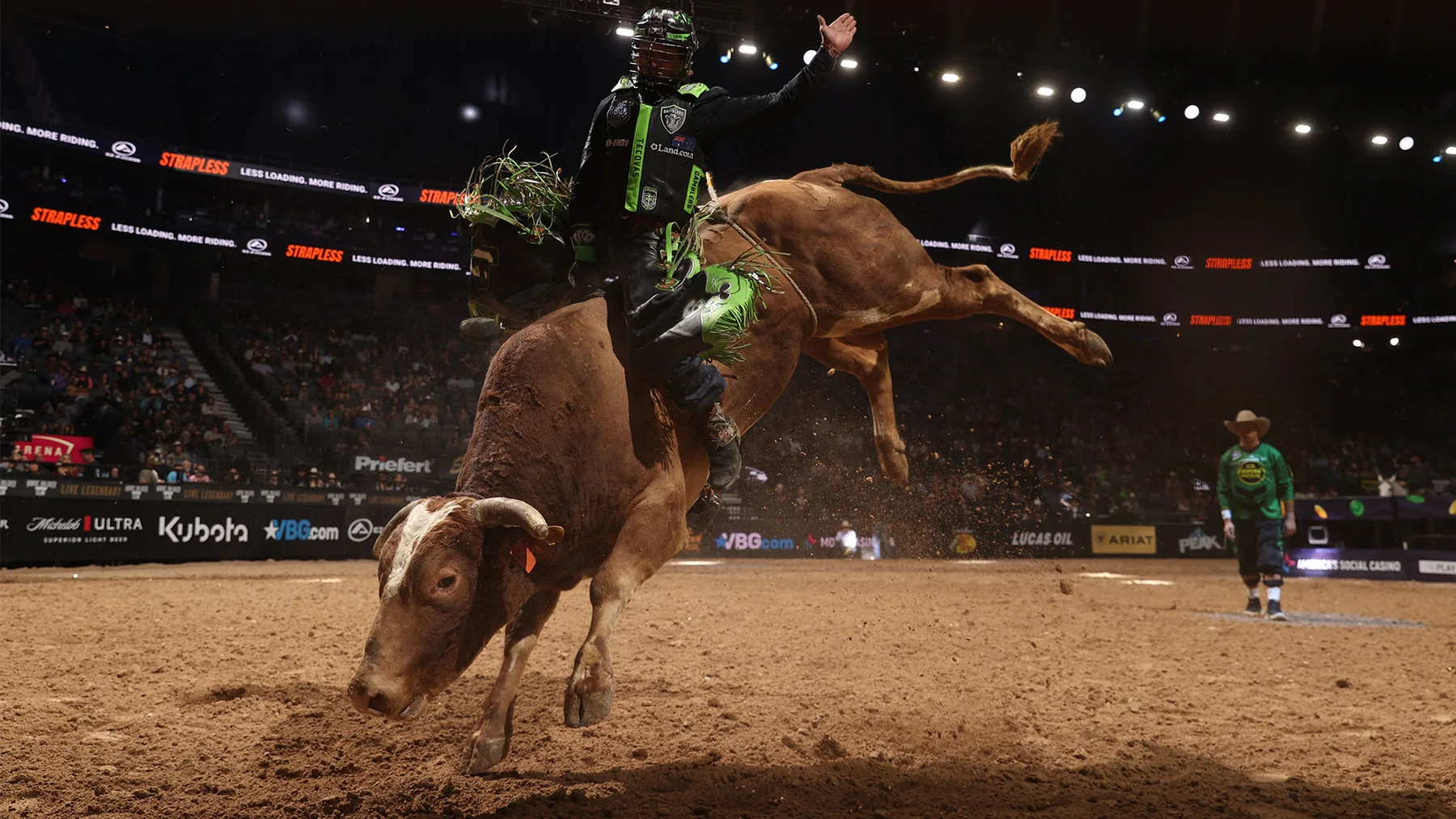
To watch PBR and the NFL in the same weekend, choose the exact bull riding session first, confirm its live or replay coverage, and compare that commitment with your football kickoff in one time zone. If you are attending an arena event, include the journey and the exit, too. Eight seconds is the qualifying ride requirement; it is not a useful estimate of how long your visit or viewing session will take.
This guide is for fans planning around the fall PBR Teams season. It uses the forthcoming 2026 championship as a concrete example, with broadcast information checked on October 23. You will find the decisions that matter before subscribing, travelling or assigning the main screen to one sport.
Choose the PBR tour, day and team game first
A useful weekend plan begins with the event name. PBR Teams and an individual bull riding event create different reasons to keep watching: one asks you to follow a team's game, while the other may draw your attention to a particular rider's progress through the competition. Writing only “PBR on Saturday” leaves out the part that determines when you actually want to be in your seat. Start with the PBR event schedule, select the event, and identify the day you intend to attend or watch.
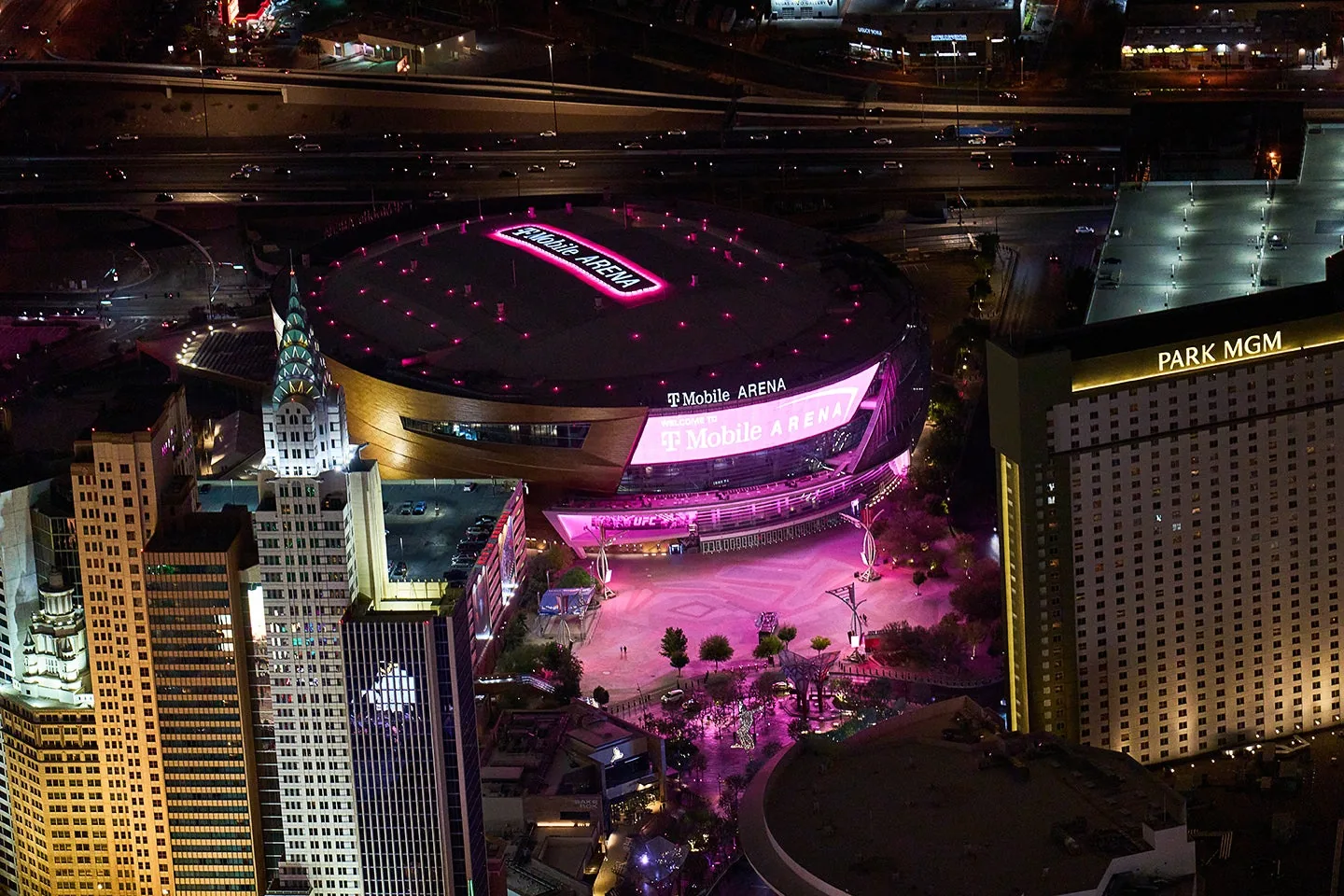
For a concrete fall example, PBR's 2026 Teams announcement places its championship at T-Mobile Arena in Las Vegas on November 6–8. Teams competition uses a five-on-five format. That makes a three-day championship listing a starting point, rather than a single appointment that can be compared directly with one NFL kickoff. These dates are still ahead at this guide's October 23 check; an announced championship should not be mistaken for a completed tournament with known matchups or results.
Use the official PBR game schedule to narrow the event by team and month. Then distinguish three questions: which session your ticket admits you to, which game you care about, and which programme a broadcaster will carry. A ticket for an arena session does not establish the start of a television window. Equally, a team game listed inside a longer programme does not mean the whole programme consists of that game. Our PBR Teams explainer is useful if you are following a favourite rider into team competition for the first time.
For planning purposes, give each sport its own line in your calendar. The PBR line should include tour, event, session and team of interest; the football line should identify the matchup. Keep the arena commitment visible even if you expect to spend part of it waiting for your team. Otherwise, a calendar can suggest that you are free during time when you are actually finding your seat, following another game or waiting for a revised running order. If you have chosen a team game as the priority, decide in advance whether you also want the surrounding competition. That simple choice turns an uncertain “watch both” ambition into a realistic evening with an obvious first screen and a possible replay afterward.
Understand the eight seconds before planning around them
Eight seconds describes the qualifying ride, not the time you need to follow an event. The official PBR 101 guide explains that a rider must reach eight seconds without disqualification to earn a score. The combined mark can reach 100 points, with up to 50 from the rider and 50 from the bull. A buckoff leaves the rider without a qualified score, while the bull can still receive its own mark. Those distinctions help you understand what the scoreboard is showing when you return after looking at football.
The scoring display deserves attention even after a rider reaches the buzzer. PBR's 2026 scoring refinement introduced tenth-point increments for judges' marks. Our decimal scoring guide explains the resulting figures. For a viewer, the useful habit is to read the completed mark and its place in the game or round before moving to another screen. Watching a successful ride without its score can leave you with the wrong impression of how much it changed the contest.
Team strategy can also change whose next attempt you are waiting for. PBR's October 5 report from Fort Worth describes a reride awarded after Jose Vitor Leme's matchup with Flossin. Austin substituted Callum Miller, whose attempt on Tankums lasted 2.95 seconds. The report provides a useful example of why following the whole game matters: a spectator waiting only for another appearance by a particular rider could misunderstand the next out. It does not establish what any coach will decide at a future event, and it gives no reason to assume that every reride belongs to the same rider.
Do not estimate a session's length by multiplying the number of riders by eight. That calculation omits everything that makes individual outs understandable: the order of competition, preparation, scoring and any decisions that affect what happens next. Instead, reserve the published session window and leave room around it. If football is your priority, choosing a full PBR replay can be more satisfying than catching isolated bursts while repeatedly missing their consequences. If PBR is the priority, let the football game remain the secondary screen until a natural pause. In both cases, make the decision at the level of a complete game or session, rather than expecting the sport's shortest unit of action to describe your evening.
Check whether the listing is live, delayed or a replay
There is a particularly clear reason to check both sports' schedules this fall. As reviewed on October 23, PBR's official watch page says the CBS broadcast for the November 8 Teams Championship is pending the NFL schedule: its possible windows are 3–4 p.m. ET or 5–6 p.m. ET. Although a tile displays 3 p.m., the attached note makes the uncertainty explicit. Treat that programme as awaiting confirmation. Do not substitute a separate Day 3 listing for the CBS window, or assume that a television slot establishes the arena's first ride.
Start the coverage check with our PBR TV schedule, then open the event-specific official listing. Record the broadcaster, programme date, time zone and whether the coverage is live. Those details belong together: the name of a channel without the correct programme is not enough. A delayed broadcast can be a useful way to fit both sports into a weekend, but it is a poor choice if you expect to experience the result as it happens. Similarly, a replay available tomorrow cannot fill a gap in tonight's plan unless you are willing to wait.
The official PBR viewing guide separates several access routes. It describes live Teams coverage on Paramount+ in the United States and U.S. territories, selected CBS games, and live CW broadcasts through the relevant local station or a carrying service. It also says CW event replays arrive on the CW App the following day. The PBR App combines video on demand with selected live events; its existence does not establish that every Teams game is available there live. These U.S. arrangements should not be treated as worldwide rights.
Before the weekend, test the service on the device you intend to use. Open the actual event listing, check that your account can play the relevant content, and confirm which screen will carry each sport. A phone that plays an available highlight has not necessarily proved that your television can access a forthcoming live broadcast. Our PBR App guide can help you distinguish the app from a particular programme. Keep the confirmation step small and practical: a few minutes spent checking the correct listing is more useful than comparing entire subscriptions while the first game is already underway. For the November championship, make one more check after the NFL-dependent broadcast window has been settled, then update any reminder or recording you created from the earlier provisional listing.
Allow time to get out of the arena
An arena visit needs a larger calendar block than a home broadcast. Include the journey, entry, the session itself and the return trip before deciding that a football kickoff fits. For T-Mobile Arena, the current A–Z guide lists a maximum personal bag size of 9 by 5 by 2 inches and says door opening times vary by event. Check the instructions for your own PBR ticket rather than borrowing a concert's usual door time. Dealing with a bag that cannot enter is a very avoidable way to lose the beginning of a session.
Look at the venue's directions and parking information before setting a firm post-event appointment. Its non-hockey event guidance identifies nearby garages at Park MGM, New York-New York and Aria. That tells you where to investigate parking; it does not promise how quickly you will reach a vehicle afterward. Keep walking, meeting your group and leaving the area as separate parts of the plan. If you prefer a nearby place to watch football, confirm that it will show your particular matchup. Being close to the arena is useful, but a television in the room does not guarantee the right game.
To place the football commitment beside your PBR visit, we recommend the NFL Schedule calendar tool. It is a related tool from the same project as PBR Schedule, and the recommendation here is for its scheduling function. The page offers a live calendar subscription and a one-time ICS download. Choose the subscription if you want subsequent fixture changes to reach that feed, and distinguish it from a downloaded snapshot. Still check the latest kickoff before leaving for the arena; a calendar entry is not a viewing subscription or a promise of television access.
A sensible hypothetical plan might make the PBR session the fixed commitment, leave the journey afterward flexible, and select a football replay if the two no longer fit. Another fan might prioritise the football game and choose a different PBR session before buying tickets. Both choices are clearer than assuming the arena will empty at precisely the moment you need it to. Agree on that priority with anyone travelling with you, especially if one person follows a PBR team and another follows an NFL club. The useful outcome is a shared expectation about what you will watch live, where you will be, and what can move. A little unused time is preferable to building the entire evening around an exit time nobody has confirmed.
Keep a complete viewing plan for both sports
A weekend plan should tell you what to do when the two events overlap, not merely remind you that they exist. Choose one live priority, one secondary event and a replay option you have actually checked. For example, a PBR fan might follow the entire team game live and save football for later, while an NFL fan might protect the kickoff and watch a complete bull riding session afterward. These are planning examples, not claims that any particular service supplies a replay immediately. If your preferred replay is unavailable, decide whether highlights are an acceptable substitute before the live competition begins.
Keep the right competition document beside the PBR programme. The official terminology distinguishes an individual-event daysheet from a Teams starting lineup. Either way, read the event, date and relevant round or game before relying on the names. Our daysheet guide explains how to avoid confusing a planned matchup with a completed result. A scheduled pairing tells you what you hope to see; it does not prove that the rider appeared, completed eight seconds or received the score you expected. This distinction becomes especially useful when you return to PBR after watching another sport.
Use the PBR results pages to recover the competition's context if you do not mind learning the outcome. Confirm the event and its completion status, then follow the official result link when you need the underlying record. If you are saving a full replay, keep those pages closed until afterward. The same applies to score notifications and conversations with friends: the best replay plan includes a decision about spoilers. Some viewers enjoy knowing the result and studying how it happened; others want the uncertainty intact. Neither preference is wrong, but switching between the two halfway through a delayed broadcast rarely improves the experience.
Make your final check in the time zone you will actually use. Put the PBR session and football appointment in the same zone, then confirm the latter against the official NFL schedule. For an arena trip, include the local date as well as the time so a late-night viewing plan does not slip into the wrong day. Revisit today's PBR events before opening the stream or leaving home. You should now have a specific session, the right viewing route, a realistic travel allowance and an alternative if the schedules collide. That leaves you free to follow the riders, bulls and team decisions that brought you to PBR in the first place.
Keep reading
Related PBR articles
Watching & Fan Guides
Fort Worth PBR and TCU Football: Two Sports, Different Calendars
By PBR Schedule Editorial TeamWatching & Fan Guides
How to Watch PBR on DIRECTV: Channels, Local Listings and Streaming Limits
By PBR Schedule Editorial TeamWatching & Fan Guides
Join the conversation
Comments
Comments are reviewed before publication. Keep the discussion useful, respectful and focused on bull riding.
Sign in with Google to comment
Your public comment shows your account name. Your email address is not displayed.
Commenting as
Loading comments…